


Why Is My Thermostat Blank? | HVAC Troubleshooting & Repair
Did your thermostat screen suddenly go dark? Learn the most common reasons, safe DIY checks, and when to call Air Conditioning Services (ACS) for fast thermostat and HVAC power restoration in Gainesville, GA.
Why Is My Thermostat Blank?
A blank thermostat display usually points to a power issue. Depending on your model, it may be as simple as dead batteries or as involved as a tripped float switch, blown low-voltage fuse, loose wiring, or a failed control board. Some thermostats rely on batteries, while others receive 24-volt power through a C-wire from the furnace or air handler’s transformer and control board. If that power is interrupted anywhere along the path, the screen can go dark and your HVAC won’t respond.
The first question to answer is how your thermostat is powered. If it’s battery-powered, weak or incorrectly installed batteries commonly cause a blank screen. If it uses a C-wire, look next at the HVAC system: the breaker and service switch, the blower panel door switch, the low-voltage fuse on the control board, and any safety devices like a float switch in the condensate pan. A tripped float switch from a clogged drain can intentionally cut power to protect your system from water damage.
Air Conditioning Services (ACS) helps homeowners and businesses throughout Gainesville and Northeast Georgia quickly restore thermostat power. Our technicians diagnose the full low-voltage circuit—including thermostat wiring, control board fuses, transformers, float switches, and condensate drains—to pinpoint the exact cause of a blank display and provide reliable repairs or replacement guidance.
Is a Blank Thermostat Normal?
Briefly, yes—right after a battery change or power outage, some thermostats remain blank during a short reboot. But if the screen stays off, it indicates a problem that needs attention. Common normal scenarios include the thermostat powering down while batteries are removed or after a utility outage as the HVAC control board resets for a minute or two.
A blank display may be expected when:
- You just replaced batteries and the thermostat is rebooting for up to 2 minutes.
- Power was interrupted by a brief outage and the control board is restarting.
- The furnace/air handler door isn’t fully latched, leaving the safety door switch open.
- The system’s service switch (looks like a light switch) is off.
- A condensate float switch opened due to a full drain pan after heavy cooling.
- A breaker was turned off for maintenance.
- The thermostat was recently removed from its wall plate and not clicked back in fully.
- Seasonal changeover or settings reset is in progress on certain smart models.
Ongoing blank screens are a concern when the breaker is on, batteries are fresh, and the system still won’t power the thermostat. Warning signs include a repeatedly blown low-voltage fuse, evidence of water in the condensate pan, wiring that looks damaged or shorted, or a thermostat that only lights up when pressed and then goes dark again. These point to issues like a clogged condensate drain triggering the float switch, a short in thermostat wiring, or a failing transformer or control board.
If you suspect a wiring or control board fault—or if fuses keep blowing—stop DIY attempts and schedule service. ACS can test the 24-volt circuit safely, protect your equipment, and restore reliable thermostat operation.
Why Your Thermostat Screen Went Blank
A dark thermostat display usually means it has lost power or the device itself has failed. Some fixes are quick and safe to try; others involve low-voltage controls and should be handled by Air Conditioning Services (ACS) for a proper diagnosis and repair.
Power Source: Batteries vs. C-Wire and Control Board
Begin by identifying how your thermostat is powered. Many models use replaceable batteries; others receive 24V power from a C-wire connected to the furnace or air handler’s control board. If your thermostat uses batteries, swap them with fresh, high-quality batteries and verify correct polarity.
For hardwired thermostats, a blank screen can indicate the 24V power supply is interrupted. This could be a tripped safety, a blown low-voltage fuse, or a transformer/control board issue preventing the thermostat from energizing.
If the screen briefly lights up and then dies, you may have a weak power source or poor connection at the thermostat base. Remove the faceplate and reseat it firmly. If it remains blank, proceed to system power checks.
Improper thermostat placement won’t typically cause a blank screen, but loose wiring, a damaged thermostat, or a programming fault can. If the device is cracked, water-damaged, or has corroded terminals, replacement may be necessary.
Check the Service Switch and Breakers
If your thermostat is hardwired, confirm that power to the HVAC system is on. Locate the indoor unit’s service switch (often a light-switch-style toggle near the furnace or air handler) and ensure it’s set to ON. Also check the home’s electrical panel for a tripped breaker serving the HVAC system.
A tripped breaker cuts power to the furnace/air handler and the thermostat’s 24V transformer, which can turn the display off. Reset any tripped breaker once. If it trips again, stop and schedule service—repeated tripping points to an electrical issue that requires a professional. For detailed breaker diagnostics, see our related topic: Why Does My AC Keep Tripping The Breaker?
Some air handlers also have a door or panel safety switch. If a blower panel isn’t fully latched, the switch opens and the system—and your thermostat—loses power. Reseat the panel until it clicks.
Condensate Overflow and Float Switch
Modern systems often include a float switch in the condensate pan or drain line. When the drain clogs and water rises, the float switch opens the low-voltage circuit to prevent water damage. The immediate symptom is frequently a blank thermostat.
Inspect the secondary drain pan under the indoor unit and the condensate line for standing water or algae buildup. Do not bypass the safety switch. If you see water, power the system off and call Air Conditioning Services (ACS) to restore drainage and reset the safety.
Keeping the condensate line clear with routine maintenance helps prevent nuisance shutdowns. If your system repeatedly trips the float switch, ask ACS about adding drain cleanouts or condensate protection.
Low-Voltage Fuse on the Control Board
Most furnaces and air handlers protect the 24V circuit with a small blade-style low-voltage fuse on the control board. A shorted thermostat wire or incorrect wiring can blow this fuse and cut power to the thermostat, leaving the display blank.
Homeowners comfortable with basic DIY can shut power off to the unit, remove the blower door, and visually inspect the fuse. If it’s blown, replacing it with the exact same rating may restore operation—but the underlying short must be corrected or the new fuse will blow again.
If you’re unsure how to safely access or identify the fuse, or if the replacement blows immediately, contact ACS. Persistent blown fuses can indicate a shorted wire, failed component, or faulty control board.
Thermostat Wiring Problems
The thermostat relies on low-voltage wires—R, C, Y, W, G, and others depending on your system. Damaged insulation, a staple through the cable, or loose terminals can short the circuit and kill power to the display.
Carefully remove the thermostat face and confirm wires are firmly secured to the correct terminals. Look for frayed copper, corrosion, or two bare wires touching. If you recently installed a new thermostat, verify its compatibility and that a required C-wire is present and connected.
If any wire feels brittle or looks pinched in a wall opening or at the air handler, avoid further disturbance and call ACS. Shorted thermostat wiring can repeatedly blow fuses and may point to larger control issues.
Control Board, Transformer, or Thermostat Failure
When power and wiring appear normal but the screen remains dark, the fault may be with the indoor unit’s control board or transformer that supplies 24V. A failed board or transformer will deprive the thermostat of power.
Similarly, the thermostat itself can fail. Signs include no response after fresh batteries, no backlight when pressing buttons, or a screen that flickers and dies when calling for heating or cooling.
Diagnosing control voltage requires a meter and safe testing procedures. Air Conditioning Services (ACS) can verify 24V at the board and thermostat, isolate the fault, and recommend repair or replacement.
DIY Steps to Try Safely
Before calling for service, try these homeowner-friendly checks:
- Replace thermostat batteries and reseat the faceplate on its base.
- Verify the HVAC service switch is ON and check the breaker once.
- Ensure the furnace/air handler panel door is fully latched to engage the safety switch.
- Look for water in the condensate pan; if present, turn the system off and call ACS.
- If accessible and you’re comfortable, inspect the low-voltage fuse on the control board with power off; replace only with the identical rating.
When to Call Air Conditioning Services (ACS)
Contact ACS if the thermostat stays blank after battery replacement and basic power checks, if you find a blown low-voltage fuse that immediately fails again, or if breakers continue to trip. These symptoms often point to wiring shorts, a failed transformer, or a faulty control board that require professional tools and expertise.
We’ll test for 24V power, evaluate the float switch and condensate system, check thermostat compatibility and wiring, and restore safe operation. If replacement is the best path, we’ll help you choose a reliable, compatible thermostat and ensure proper setup.
Prevention Tips
To reduce the chances of a blank screen in the future, keep the condensate drain clear with routine maintenance, replace thermostat batteries annually (or when the low-battery icon appears), and avoid running thermostat wires where they can be pinched. Consider whole-home surge protection to safeguard sensitive control boards and transformers.
For related issues like repeated breaker trips or water around the indoor unit, visit our pages: Why Does My AC Keep Tripping The Breaker? and Why Is My AC Leaking Water? When you need fast help, Air Conditioning Services (ACS) is here to get your system communicating and your home comfortable again.
If your thermostat screen is blank and you’re not sure where to start, our licensed technicians can quickly pinpoint the cause and fix it right the first time.
What You Can Check Safely
Before you schedule service, there are a few simple and safe steps you can try when your thermostat screen is blank:
- Gently press the thermostat display or any wake/screen button to ensure it isn’t simply asleep.
- If your thermostat uses batteries, remove the cover and replace all batteries with fresh, high-quality ones. Observe polarity markings.
- If your thermostat is hardwired, confirm the HVAC equipment’s service switch near the indoor unit is in the ON position.
- Open and firmly close the furnace/air handler access panel. A loose door can release the safety switch and cut power to the thermostat.
- Check the HVAC breaker once in your electrical panel. If it’s tripped, reset it once only. Do not repeatedly reset a breaker that trips again.
- Inspect the indoor unit’s condensate pan. If it’s full of water, a float switch may have shut down low-voltage power, turning the screen blank.
- Look at the furnace/air handler control board (if accessible) for a small blade or automotive-style low-voltage fuse. If you can see a blown fuse, note its rating and call for service before proceeding.
- Lightly tug each visible thermostat wire at the wall base to see if any are loose. Do not let bare wires touch each other or metal surfaces.
If the display stays blank after replacing batteries, the breaker re-trips, the drain pan is full, or you suspect a blown fuse or wiring issue, turn the system off and contact a professional for diagnosis.
When to Call for AC Repair
Call Air Conditioning Services (ACS) if your thermostat remains blank or:
- The screen flickers, fades, or only works intermittently.
- The drain pan is holding water or a float switch keeps shutting the system off.
- The furnace/air handler won’t power up even with the service switch ON.
- A low-voltage fuse on the control board appears blown or keeps blowing.
- You notice signs of a wiring short, such as a burnt smell, melted insulation, or visible arcing.
- The breaker trips again after a single reset attempt. (For detailed breaker diagnostics, see our page: Why Does My AC Keep Tripping The Breaker?)
- Multiple thermostats or zones are unresponsive, indicating a control board or transformer issue.
- You recently had work done near thermostat wiring or the attic, crawlspace, or outdoor unit.
- You’re upgrading thermostats and are unsure if you have a C-wire or compatible power source.
- Water has been leaking near the indoor unit or condensate line. (See also: Why Is My AC Leaking Water?)
- You want expert testing of the transformer, control board, and thermostat wiring continuity to prevent repeat failures.
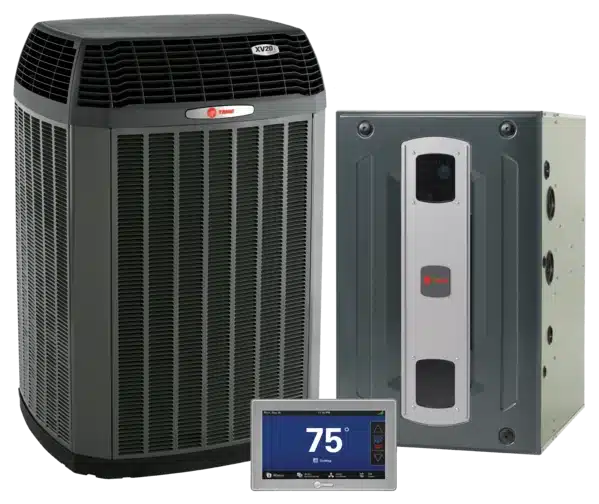
Thermostat Help in Gainesville, GA
A blank thermostat can be caused by something as simple as weak batteries or as complex as a tripped float switch, blown low-voltage fuse, failed transformer, wiring short, or control board fault. Proper troubleshooting isolates the exact power loss before parts are replaced, protecting your system from further damage.
Air Conditioning Services provides residential and commercial thermostat troubleshooting, C-wire and power solutions, low-voltage diagnostics, control board and transformer repair, and complete HVAC service throughout Gainesville and Northeast Georgia. Our technicians work on all brands and models and clearly explain findings with practical options—whether that means restoring power, repairing wiring, or installing a compatible smart thermostat.
ACS is licensed, insured, and bonded. Our highly trained, background-checked HVAC technicians back products and services with a 100% guarantee.
If your thermostat screen is blank or unresponsive, call Air Conditioning Services at 770-532-0731 to schedule professional service in Gainesville or the surrounding Northeast Georgia area.
Open 7AM - 5PM Monday-Friday
Quick Contact Form
Make a Payment

Our Service Area
We have happy customers all around the Northeast Georgia area. We’ve provided HVAC services for homes and businesses in:
· Hall County: Clermont, Flowery Branch, Gainesville, Lula, & Oakwood
· Habersham County: Alto, Baldwin, Clarkesville, Cornelia, Demorest, Mount Airy & Tallulah Falls
· Gwinnett County: Dacula, Sugar Hill, Buford, Lawrenceville
· Jackson County: Pendergrass, Arcade, Braselton, Commerce, Hoschton, Jefferson, Maysville, Nicholson & Talmo
· Stephens County: Martin & Toccoa
· Dawson County: Dawsonville
· Lumpkin County: Dahlonega
· Forsyth County: Cumming
Contact us today when you need HVAC services you can trust.